
Facer Watch Faces
Facer StudiosPersonalization
4.416.49K Reviews
- Version
- Varies With Device
- Installs
- 10.00M
- Age Rating
- Everyone
Screenshots
Our Review of Facer Watch Faces
 Analysis by Appyee
I judge a watch-face app by whether it makes choosing a new look enjoyable, rather than turning a small screen into another chore. Facer Watch Faces is aimed at that kind of tinkering: it gives smartwatch owners a place to browse designs and, for people who want more control, make their own. I’d consider it when the watch’s built-in selection feels limiting, but I would first check that it suits my particular watch and the way I use it.
What free access does—and what purchases mean
Facer Watch Faces is a free personalization app from Facer Studios, with optional in-app purchases priced from $0.49 to $39.99 per item. That gives you a way to try the app without paying up front, while leaving some content or options behind a purchase. I see that as a sensible starting point: browse and decide whether the experience fits before spending anything, rather than treating every watch owner as someone who needs a paid upgrade.
There is an important distinction between being free to install and getting every possible design at no cost. The purchase range is wide, so I’d look at the specific item and its price before committing; a single low-cost face and a more expensive purchase are different decisions. I wouldn’t assume that paying once unlocks everything, or that a particular design is included. If a face catches your eye, check its purchase details in the app and decide whether you’ll actually use it often enough to justify the expense.
Where the value comes from
The strongest value here is choice. A watch face can make a familiar device feel more personal, and a broad collection gives me more room to match the display to work, exercise, a weekend outfit, or simply my mood. The app is more useful if I enjoy changing that look now and then; if I settle on one face and never revisit it, a large catalogue matters much less.
There’s also value in being able to create rather than only browse. Adjusting a design to suit my preferences can be more satisfying than scrolling through preset options, especially when I want a face to feel distinct. That said, customization is only worthwhile if I enjoy the process. Someone who wants to install one attractive design quickly may get more from the watch’s own face gallery, while someone who likes experimenting has a clearer reason to explore Facer.
Browsing, making, and living with watch faces
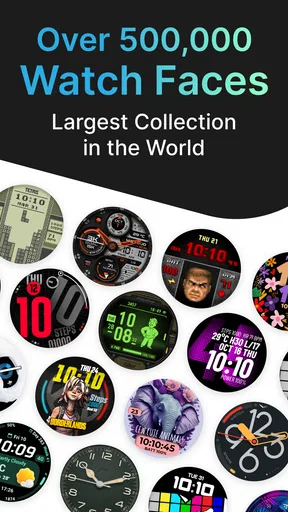
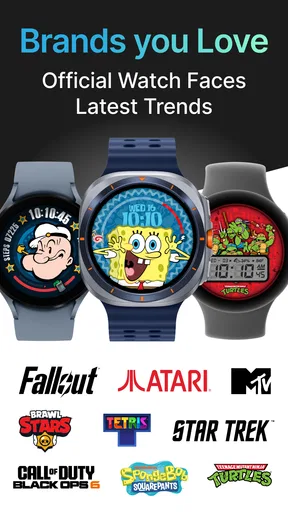
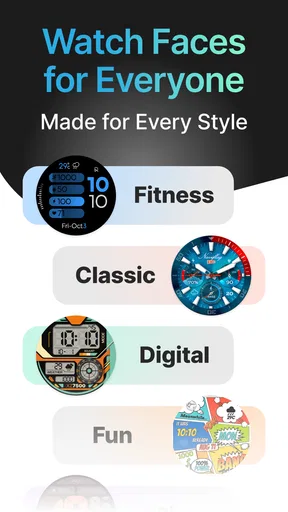
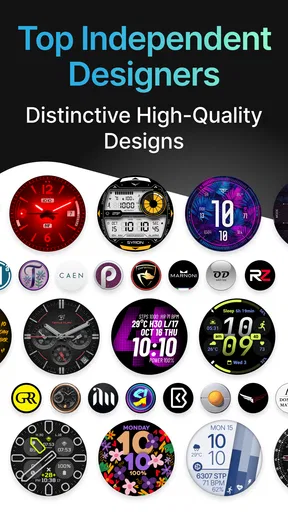
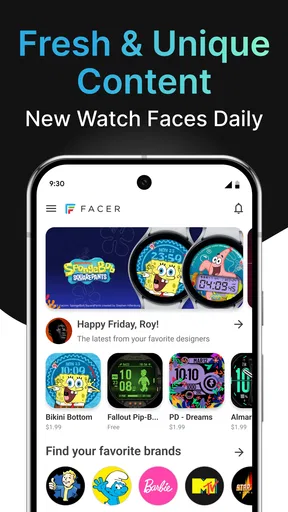
The first thing that caught my attention with Facer Watch Faces is the sheer number of options available. I mean, it’s like having a candy store right on your wrist! You can choose from thousands of watch faces, each with its own unique flair. Whether you're into minimalistic designs, sci-fi themes, or something a bit more artsy, there’s something for everyone.
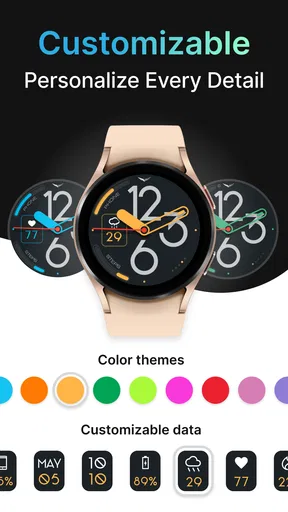
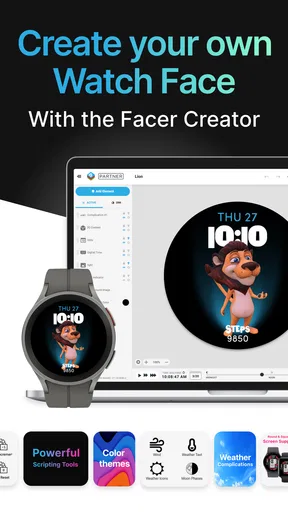
One of the coolest features is the ability to create your own watch face. The app provides tools that allow you to customize everything from the background to the font. You can even add widgets like weather, fitness stats, or a calendar. It’s super intuitive, even if you’re not a design whiz.
User Experience and Interface
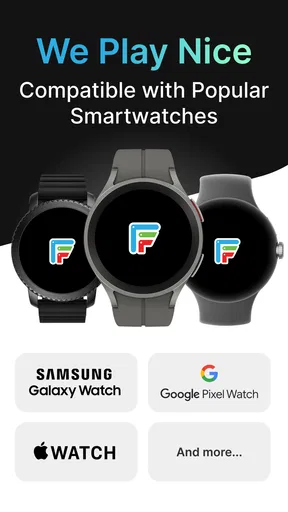
Let’s talk about the user interface for a sec. Navigating through Facer Watch Faces is a breeze. The layout is clean, and everything is pretty much where you’d expect it to be. The search function works like a charm, helping you find the perfect face in no time. Plus, the syncing process with your smartwatch is seamless. It’s compatible with a wide range of devices, so no worries if you’re sporting an Apple Watch or a Samsung Gear.
For a better browsing session, I’d search with a purpose instead of trying to judge the whole catalogue at once. Start with the kind of display you want—minimal, colourful, or themed—then compare a few candidates for readability and the information they put forward. A face that looks striking in a preview may be harder to read at a glance on a small watch screen. I’d also test a new choice during an ordinary day, not just admire it in the app: quick glances while walking or checking the time in a meeting reveal whether its layout works in practice.
Community and Collaboration
Another aspect that I found really engaging is the community-driven nature of the app. You can share your creations and download others’ designs, which makes it feel like you’re part of a vibrant creative community. It’s like Instagram, but for watch faces! The app also holds contests and challenges, which can be a fun way to test your design skills against others.
Community browsing is most rewarding when I treat other people’s designs as inspiration, not just as ready-made answers. If a face is close to what I want, I can use that as a guide for deciding what matters—perhaps a calmer background, a different type style, or more room for a useful widget—then look for a better fit or try making my own. The trade-off is that a large, creator-led collection can feel less consistent than a small set curated by the watch maker. I’d judge each design individually and choose based on clarity and usefulness, not just its preview or theme.
Performance and Functionality
Now, onto performance. I’ve been using the app for a week, and I’m happy to report it’s been smooth sailing. The watch faces load quickly, and I haven’t experienced any crashes or bugs. Battery consumption is reasonable too, which is crucial when you’re running a smartwatch.
My practical test for any new face is whether it stays useful after the novelty wears off. A design with several data points may look appealing, but if I rarely check those details, a simpler arrangement is likely a better everyday choice. I’d change one element at a time when creating a face, then wear it long enough to see whether the adjustment helps. That makes it easier to identify what improves legibility and what merely adds decoration.
Before settling on a face, I’d also check how it behaves on the watch itself, rather than assuming that a phone preview tells the whole story. The watch is where I need to read it quickly, and a design that looks balanced on a larger display may feel crowded on my wrist. If a face is hard to scan, going back to a simpler option is not a failure of customization; it is a useful result of trying it.
Choosing it over built-in alternatives
Compared with the watch’s built-in face picker, Facer’s appeal is the wider browsing and creation experience. The built-in option is often the easier choice when I want a straightforward, familiar face and fewer decisions. Facer makes more sense when I want to explore designs made by others or shape a look around my own preferences. These approaches serve different moods: one favours quick setup, the other gives me more room to browse and experiment.
I’d make compatibility the first practical check before investing time in a design. Smartwatches do not all handle face apps in the same way, and the experience can depend on the device and its software. The original review describes support across a range of devices, including Apple Watch and Samsung Gear, but I would still confirm that my exact watch can use the faces and syncing method I want. That small check can save the frustration of choosing a design that does not fit my setup.
Pricing and Accessibility
Let’s talk money. Facer Watch Faces offers a freemium model, which means you can access a decent amount of content for free. However, if you’re looking to unlock premium features and exclusive designs, there’s a subscription model. It’s fairly priced, considering the vast library you gain access to. Plus, it’s nice to know you’re supporting creators within the community.
The app has an average rating of 3.9 from around 182,000 ratings, alongside roughly 16,000 written reviews, and has been installed over 10 million times. Those figures suggest plenty of people have tried it, but they don’t tell me whether it will fit my watch or taste; I’d use the free access to answer those questions for myself. It is rated Everyone, which makes its stated age category broad, though that does not change the practical need to check purchases and device compatibility before getting invested.
For an everyday example, imagine I’m getting ready for work and want a face that is easy to read quickly, with a calendar detail visible for the day ahead. I could search for a clean design, compare how much space it gives that detail, then wear it through a few routine checks before deciding whether it earns a place on my watch. Later, I might switch to something more expressive for the weekend. The useful part is not having to keep one look for every situation; the limitation is that frequent browsing and changing only pays off if I enjoy doing it.
Final Thoughts
In a nutshell, Facer Watch Faces is a must-have if you love customizing your tech. It’s user-friendly, packed with options, and backed by a vibrant community. Whether you’re a casual user or a design enthusiast, there’s something here for you. So, if you haven’t already, go ahead and give it a shot. Your wrist will thank you!
My recommendation is more specific than that enthusiasm suggests: I’d try it if I enjoy tailoring my watch, browsing other people’s designs, or building a face around the details I actually check. I’d skip it if I want the simplest possible setup, prefer to avoid optional purchases, or find browsing collections tiring; the built-in faces may be enough in those cases. For me, its value rests on whether the extra choice leads to a face I genuinely like wearing, not on how many designs I can scroll past.
Privacy and Permissions
See what permissions an app requests and how it handles your data.
- Location
- approximate location (network-based), precise location (GPS and network-based)
- Phone
- read phone status and identity
- Photos/Media/Files
- read the contents of your USB storage, modify or delete the contents of your USB storage
- Storage
- read the contents of your USB storage, modify or delete the contents of your USB storage
- Camera
- take pictures and videos
- Microphone
- record audio
- Wi-Fi connection information
- view Wi-Fi connections
- Device ID & call information
- read phone status and identity
- Wearable sensors/Activity data
- body sensors (like heart rate monitors)
- Other
- view network connections, pair with Bluetooth devices, access Bluetooth settings, change network connectivity, full network access, run at startup, control vibration, prevent device from sleeping, read Google service configuration
Verdict
Strengths of Facer Watch Faces
- Extensive library of customizable watch faces.
- User-friendly interface for easy navigation.
- Compatible with most smartwatch brands.
- Regular updates with new designs.
- Allows personal photo uploads for custom faces.
Limitations of Facer Watch Faces
- Some premium features require a subscription.
- Occasional syncing issues reported by users.
- Can drain battery life on some devices.
- Ads can be intrusive in the free version.
- Limited offline functionality.
Other Releases by Facer Studios
View All
Fallout Pip-Boy SE Watch Face
Personalization4.7

Star Trek LCARS SE Watch Face
Personalization4.4

ULTRA Digital Retro watch face
Personalization4.5
Similar Picks in This Category
View All
Microsoft SwiftKey AI Keyboard
SwiftKey4.3

Wallpapers
Google LLC4.1

Zedge™ Wallpapers & Ringtones
Zedge4.7

Yandex Browser with Alice AI
Direct Cursus Computer Systems Trading LLC4.3

Ringtone Maker:create ringtone
Big Bang Inc.4.7

Fonts Keyboard
Fonts Keyboard3.9
Frequently Asked Questions
What features does Facer Watch Faces offer?
Facer Watch Faces provides a wide array of customizable watch faces for both Android and iOS devices. Users can choose from thousands of designs, ranging from digital to analog styles. The app also allows users to create their own watch faces, offering tools for customization and integration with various smartwatch brands.
Is Facer Watch Faces compatible with my smartwatch?
Facer Watch Faces is compatible with a wide range of smartwatches, including popular models from Samsung, Apple, Wear OS devices, and more. It's important to ensure your smartwatch supports third-party watch face apps. Checking the app's compatibility list before downloading can save you from potential compatibility issues.
Are there any costs associated with using Facer Watch Faces?
Facer Watch Faces is free to download and offers a variety of free watch faces. However, it also features a premium subscription option that provides access to exclusive designs and additional customization tools. Users should review the app's pricing structure to determine if the premium features are beneficial for their needs.
How user-friendly is the Facer Watch Faces app?
The Facer Watch Faces app is designed with user-friendliness in mind. Its intuitive interface allows users to easily browse, select, and apply watch faces. The app offers tutorials and guides for creating custom watch faces, making it accessible even to those new to smartwatch customization.
What customization options are available in Facer Watch Faces?
Facer Watch Faces offers extensive customization options, allowing users to adjust elements such as color schemes, widgets, and complications. Users can add personal touches like photos and data streams. The app's design tools are robust, enabling a high level of personalization to suit individual preferences.
